



iToolab WatsGo Restores WhatsApp from iCloud without Resetting iPhone
 Tweet
Tweet Share
Share E-mail
New WatsGo Feature: Restore WhatsApp from iCloud Without Uninstalling
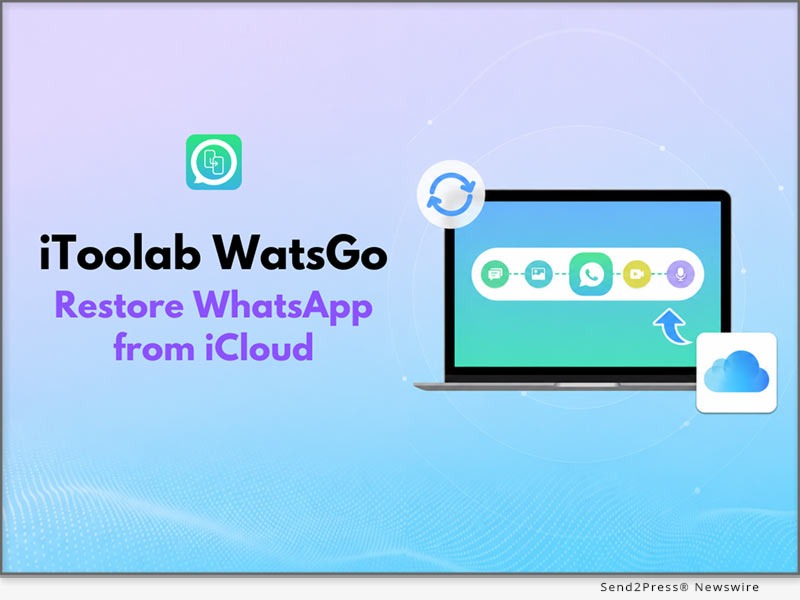
HONG KONG, July 6, 2026 (SEND2PRESS NEWSWIRE) iToolab WatsGo has introduced a new feature that enables users to restore WhatsApp from iCloud without resetting their iPhone. The update helps users download and check chats, photos, videos, and other WhatsApp data. In addition, users don’t have to deal with complicated recovery procedures. This update makes WhatsApp data restoration from iCloud simpler and gives users an easier way to recover the information that matters most.
WHY ITOOLAB WATSGO STANDS OUT?
iToolab WatsGo is a WhatsApp management solution that supports WhatsApp transfer, backup, restore, and export across Android and iPhone. It also helps users restore WhatsApp from iCloud without uninstalling the app.
KEY FEATURES OF ITOOLAB WATSGO RESTORE WHATSAPP FROM ICLOUD
Here are some of the WatsGo features that make it simple to restore WhatsApp from iCloud without uninstalling the app or dealing with unnecessary complications.
1. RESTORE WHATSAPP FROM ICLOUD WITHOUT UNINSTALLING
Restoring WhatsApp backup from iCloud on iPhone usually requires users to uninstall and reinstall the app before the process. WatsGo removes this hassle by allowing you to restore your WhatsApp backup directly from iCloud. This delivers a faster, more seamless restoration experience with minimal effort.
2. PREVIEW WHATSAPP ICLOUD BACKUPS BEFORE RESTORING
WatsGo lets users preview available WhatsApp backups before restoring them, unlike the official method, which restores the entire backup without preview. Users can then select supported chats and media to export to their computers.
3. ENSURES SECURE, RELIABLE DATA RESTORE
Since iCloud backups are encrypted, WatsGo never downloads or stores users data, helping protect user privacy throughout the entire restore process. The tool maintains data transmission integrity throughout the restore process, so no files are corrupted or lost. It also supports a wide diversity of WhatsApp data types, which gives users a complete restore process.
3 SIMPLE STEPS TO RESTORE WHATSAPP FROM ICLOUD USING WATSGO
To explore how to restore deleted messages in WhatsApp, follow these simple steps:
- Install and Launch: Download iToolab WatsGo and choose the “Restore WhatsApp from iCloud” option.
- Sign in to iCloud: Sign in to iCloud and pick the WhatsApp backup from the list.
- Choose to Restore Data: Choose the WhatsApp chat data you want to restore and click on “Export to Computer.”
Video Guide: https://youtu.be/Z2_9tttpS-g
FINAL PRICE AFTER DISCOUNT
- 1 Month Plan: $16.95
- 1 Year Plan: $29.95
- Lifetime Plan: $39.95
DEVICE COMPATIBILITY
- Windows: Windows 7+
- Mac: macOS 10.11+
ABOUT ITOOLAB
Founded in 2019, iToolab develops desktop tools for Android and iOS devices, specializing in WhatsApp management. Its solutions support WhatsApp transfer, backup, restore, backup preview, and help users restore WhatsApp from iCloud with greater flexibility and control.
For more details, please visit: https://itoolab.com/
- Facebook: https://www.facebook.com/itoolab
- Twitter: https://x.com/IToolab
- YouTube: https://www.youtube.com/@iToolab
NEWS SOURCE: iToolab Co Ltd
This press release was issued on behalf of the news source (iToolab Co Ltd), who is solely responsible for its accuracy, by Send2Press Newswire.
To view the original story, visit: https://www.send2press.com/wire/itoolab-watsgo-restores-whatsapp-from-icloud-without-resetting-iphone/
Copr. © 2026 Send2Press® Newswire, Calif., USA. -- REF: S2P STORY ID: S2P136652 STINS.2408
Serious News for Serious Traders! Try StreetInsider.com Premium Free!
You May Also Be Interested In
- Impulse Space Awarded $28M for Future Space Force SDA Mission
- FIU study finds brain differences linked to obesity risk in preschoolers
- Winds of Syex̣t: A New Community-led Identity for Lower Nicola Indian Band and Capstone Infrastructure Corporation’s Renewable Energy Project
Create E-mail Alert Related Categories
Press Releases, Send2PressRelated Entities
TwitterSign up for StreetInsider Free!
Receive full access to all new and archived articles, unlimited portfolio tracking, e-mail alerts, custom newswires and RSS feeds - and more!
